If your TytoHome or TytoPro kit includes the A&D UC352BLE Weight Scale, follow these steps to connect it to your TytoCare app for automatic weight data synchronization.
1. Prepare Your Mobile Device
- Enable Bluetooth: Ensure Bluetooth is turned on in your smartphone or tablet settings.
- Login: Open the TytoCare app and sign in to your account.
2. Navigate to Pairing Settings
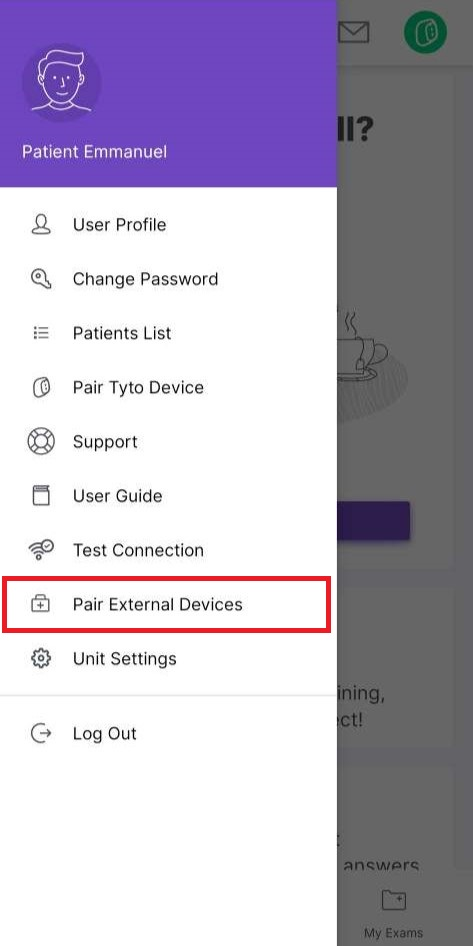
- Tap the Menu icon (top-left) in the TytoCare app.
- Select Pair External Devices.
- Select Weight Scale from the list.
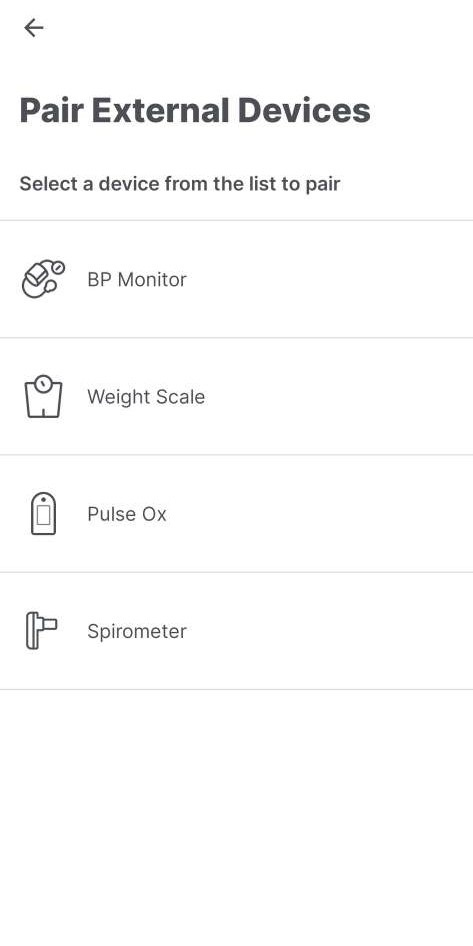
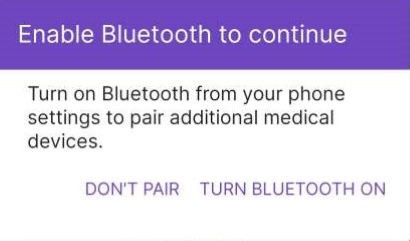
*Note: If Bluetooth is disabled, a pop-up will appear asking you to enable it to proceed.
3. Activate Pairing Mode on the Scale
- Ensure fresh batteries are installed in the scale.
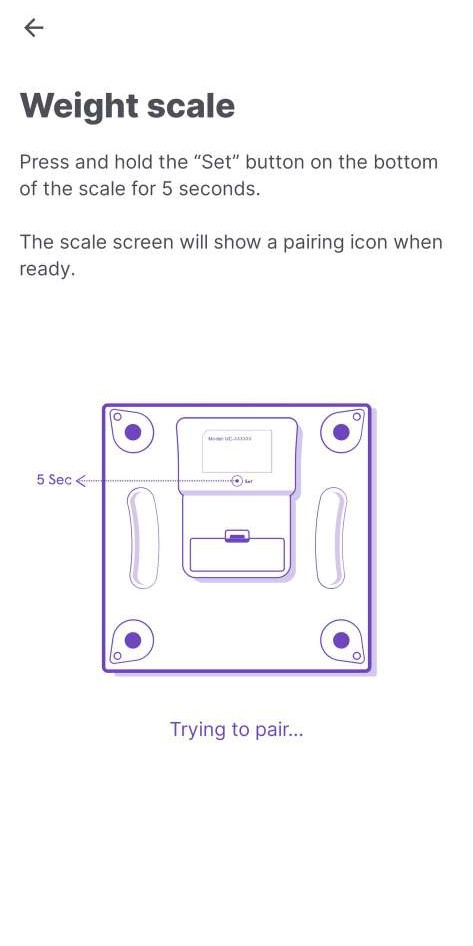
- Locate the Set button on the bottom of the scale.
- Press and hold the Set button for 5 seconds. A pairing icon (usually looking like two arrows or "Pr") will appear on the scale's digital display.
4. Confirm Connection
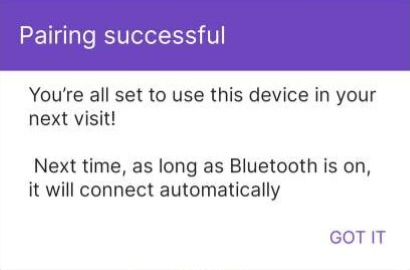
The TytoCare app will automatically detect the scale and display a "Pairing Successful" message. Your scale is now ready for use and will sync data whenever the app is open and in range.
Pro Tip: To take a measurement after pairing, simply open the TytoCare app and step on the scale. Ensure you are on a flat, hard surface (avoid carpets) for the most accurate reading.